Sign with your finger in the blank space or attach (+) your signature from a JPG or PNG file. Minimum resolution 250x250.
Skip to main content Lunches
 Snacks
 Cafeteria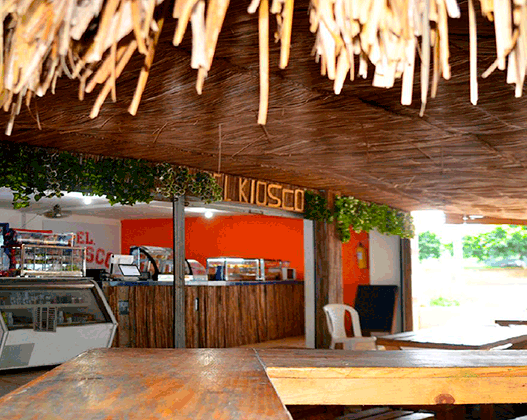






Email

SERVICE
Restaurant and cafeteria
Cartagena International School has a cafeteria and a restaurant fully equipped with quality products.
BON APPETIT
The cafeteria is led by Patricia Julio, who with dedicated attention offers our Internationalist community a wide variety of food and drinks during breaks and free time. Like the restaurant, it is supervised by the school's teachers and support staff, who make sure the space is enjoyed in harmony by the whole student community.
We offer you:
LunchesSnacksCafeteriaHire services
Welcome to the hiring process for the meal (restaurant) and snack (cafeteria) service contracts. Please note that it only applies to students who have already completed their enrolment.
Instructions
1. Enter the guardian's identification number.
2. Enter the student's code.
3. Click on «Validate data».
Step 1
Validate your data to check whether you already signed a contract during the current school year.
Step 2
We invite you to read every clause of the contract carefully before signing and legalising it.
Step 3
Sign and send the information. Thank you for trusting us.
Payments and top-ups
Online from anywhere
Payments: step 1
Log in to the school's academic platform with the parent credentials given when the enrolment was completed. Find and select «My payment receipt»: there you will see the latest receipts issued by the accounts department that are still pending; click on «Print payment slip».
Payments: step 2
In the top right corner you will find «Pay now». Remember that you can pay online: the payment is updated automatically and you will see it in your account statement. You can also pay at the school's administrative offices.
Top-ups: step 1
Log in to the school's academic platform with the parent credentials given when the enrolment was completed. Find and select «Virtual store»; on the left, in the top-up section, enter the amount and the system will redirect you to the payment gateway.
Top-ups: step 2
Top-ups are used from the student's virtual account, whether or not a service has been hired with the school. Please note that the money in the virtual account is not used to pay for services: they are different things.
Contact us
If you need more information, get in touch. At Cartagena International School we are here to help you.
Manager
Alvaro de Ávila Puello
cafeteria@cartagenainternationalschool.edu.co
Phone
300-1234567